Many people in the UK want to get their driving licence quickly. Waiting months for a driving test can feel very frustrating. That is why apps like Testi have become popular. This Testi app review will explain everything in simple words. You will learn how the Testi app works, its price, how to use it, and whether it is a good choice in 2026.
Learning to drive brings freedom and new chances in life. Yet, booking a practical driving test at the right time and place is not always easy. The government system sometimes has long waits. After that, people look for tools to find earlier dates when someone cancels. Testi is one such tool made to help with driving test cancellations. Because of this, many learner drivers download it to save time and stress.
What Is the Testi App?
The Testi app is a mobile tool designed for people preparing for their UK driving test. It focuses on finding cancellations and new test slots that open up suddenly. In simple terms, it watches the official DVSA booking system for you. This means you do not have to check the government website every few minutes yourself.
Another thing is that Testi connects to your existing DVSA account. You first book any driving test date through the official site. After that, the app starts its work. Over time, many users have shared that it helped them move their test forward by weeks or even months. For example, someone with a test in September might find a slot in July thanks to a quick alert. That kind of help feels useful when you are eager to pass and start driving on your own.
How Does the Testi App Work?
Understanding how the Testi app works is quite straightforward. First, you need an active booking on the DVSA website. The app cannot start without that step. Next, you log in to Testi using the same details from your DVSA account. This login lets the app scan safely for changes.
After setup, the app runs in the background. It checks for cancellations across selected test centres. When a slot opens, it sends a notification to your phone. This notification shows the new date, time, and location. Because the system moves fast, you must act quickly once you see the alert. You tap the notification, and the app helps you log straight into the DVSA site with one tap. There, you can try to change your booking to the earlier slot.
In addition, the scanning happens all day and night. New tests sometimes appear when the DVSA adds extra slots. That is why the app keeps working even without cancellations. For instance, imagine you are waiting for a test near your home. A person in another city cancels their slot, and if your centre is selected, the app tells you right away. This process saves hours of manual refreshing on the website.
How to Use the Testi App Step by Step
Learning how to use the Testi app feels easy when you break it into small steps. Start by booking your driving test on the official DVSA website. Choose any available date, even if it is far away. This first booking is important because the app needs it to work.
Next, download the Testi app from the Apple App Store or Google Play Store. Open the app and enter your DVSA login details carefully. Make sure your internet connection is good during this step. After that, the app will ask you to pick your main test centre. In the premium version, you can add up to three more centres. This choice matters because the app only scans the places you select.
Once everything is set, sit back and keep your phone notifications turned on. When an alert comes, open it fast. The app provides a quick link to the DVSA page. Log in with one tap if you have the extension set up. Then, select the new slot and confirm the change. Practice this flow a few times in your mind so you feel ready when a real notification arrives.
How to use the Testi app for driving test becomes smoother with time. Many people keep the app open on their phone and check it during quiet moments. For example, some learners look at alerts while having breakfast or before bed. This habit helps them respond faster than others who check only once a day.
Testi App Price – How Much Is the Testi App?
People often ask about Testi app price and whether it is free. The basic version lets you download the app and try some features without paying. However, full notifications and extra test centres need a premium account. In 2026, the premium option usually costs around ten to twenty pounds as a one-time fee. This means you pay once and can use the app until you pass your test, even if you need to change dates later.
How much is Testi app depends on any special offers at the time. Some users say it feels like a small investment compared to waiting extra months for a test. Because it is a one-time payment, you do not worry about monthly bills. That is why many find the cost reasonable if they really want an earlier date.
Always check the current price inside the app or on the official site before buying. Prices can change slightly with updates or promotions. Another thing is to see if your driving instructor recommends it, as some learners get tips from them about value.
Is Testi App Legit?
A common question is, “Is Testi app legit?” The app is a real tool developed by a company called Testi Apps Limited. It has millions of downloads on both Android and iOS. It is not connected to the official DVSA or DVLA, but it works by scanning public booking information.
Many real users have shared success stories. For example, one person moved their test from late in the year to just a few weeks later. Others say they received timely notifications that helped them act fast. Because of these experiences, some learners believe it is a helpful aid.
At the same time, results are not guaranteed. Success depends on how quickly you respond to alerts, how popular your test centre is, and how many cancellations happen. Some people get a better date on their first try, while others wait longer. That is why it is important to stay patient and keep checking.
Testi App Reviews from Real Users in 2026
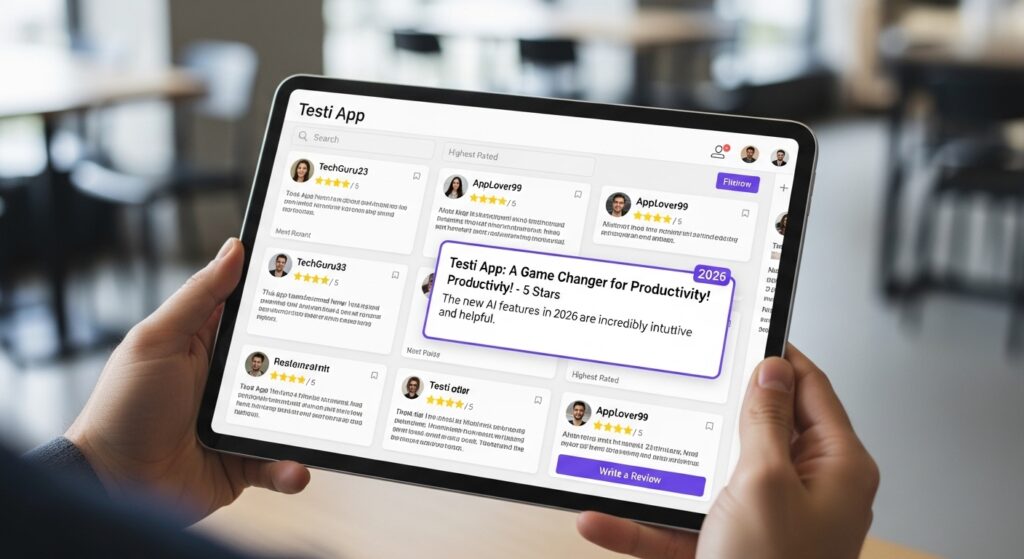
Testi app reviews show a mix of opinions. On app stores, the rating sits around four stars from thousands of people. Positive reviews often mention quick notifications and easy one-tap login. Users say things like, “It helped me grab a slot I would have missed.” These stories make the app sound useful for busy learners.
On the other hand, some Testi app reviews point out problems. A few users mention that by the time they tap the notification, the slot is already gone. Others talk about occasional errors or the need to be very fast. In high-demand areas, the competition is strong, so the app does not always lead to success.
Because opinions differ, it helps to read both good and not-so-good feedback. Look at recent reviews from 2026 to see how the app performs now. Over time, updates have improved some features, but challenges like fast-moving slots remain.
Common Issues – What If Testi App Not Working?
Sometimes users say the Testi app not working as expected. For instance, notifications might be delayed during busy times. Or the app could show an error when trying to log in. When this happens, first check your internet connection and update the app to the newest version.
Another common issue is that slots disappear before you can book them. This is not always the app’s fault. The DVSA system updates quickly, and many people are watching at the same time. That is why acting within seconds matters a lot. If problems continue, contact the app’s support team through their email.
In addition, some learners notice that using certain apps too often might affect their DVSA account temporarily. It is wise to follow the rules and not refresh too aggressively. Simple fixes like restarting your phone or reinstalling the app often solve small glitches.
Best Time to Check Testi App
Finding the best time to check Testi app can improve your chances. Many cancellations happen early in the morning or late at night when fewer people are online. Some users say Monday mornings around six o’clock bring new slots. Others notice activity during weekdays when test centres adjust schedules.
Because patterns can change, keep your notifications on all the time. Do not rely only on checking at certain hours. Instead, let the app do the watching for you. For example, if you set it up before bed, you might wake up to a useful alert. This habit turns waiting into a more relaxed process.
Tips to Get the Most from the Testi App
To make the most of how the Testi app works, prepare in advance. Keep your DVSA login details safe and ready. Practice changing a test date on the official site so you know the steps. Also, choose test centres that are not too far but have reasonable demand.
Another helpful tip is to stay calm when an alert arrives. Take a deep breath and tap quickly but carefully. Rushing too much can lead to mistakes. In addition, combine the app with good preparation for your actual driving lessons. Passing the test matters more than just getting an early date.
Avoid common mistakes like selecting too many distant centres, which spreads the app’s focus too thin. Instead, focus on two or three realistic options near your home or instructor. Over time, these small choices can lead to better results.
Is the Testi App Good for You?
Is the Testi app good depends on your situation. If you have a late test date and feel impatient, it can bring peace of mind by watching for you. Many people appreciate the simple setup and instant login feature. However, if you prefer fully automatic booking, you might look at other tools that offer different options.
Remember, no app can promise a perfect early slot every time. The driving test system has limited places, and luck plays a role. That is why combining the app with steady practice and patience often works best.
FAQ About the Testi App
Here are some common questions people ask about the Testi app.
How does Testi app work exactly?
It scans for cancellations and new slots on the DVSA system and sends you notifications so you can change your booking quickly.
Is Testi app free?
You can download and use basic features for free, but premium notifications and extra centres need a one-time payment.
How to use Testi app for driving test?
Book a test first on the DVSA site, log into the app with the same details, set your centres, and respond fast to alerts.
What if Testi app not working?
Update the app, check your connection, and try restarting your phone. Contact support if issues continue.
How much is the Testi app?
Premium access is usually a one-time fee of around ten to twenty pounds, depending on current offers.
Is Testi app legit?
It is a real app with millions of downloads, but success is not guaranteed and depends on quick action and available slots.
Can I use the Testi app without a booked test?
No, you need an existing DVSA booking to start using the app’s main features.
Conclusion
The Testi app offers a helpful way to watch for earlier driving test dates in the UK. In this Testi app review 2026, we saw how it works by scanning cancellations, how to use it step by step, its price as a one-time payment, and the mixed but real user experiences. While it is not perfect and requires fast responses, many learners find it saves them time and reduces worry.
Whether it fits your needs depends on how soon you want to test and how patient you can be. Always prepare well for your driving lessons alongside any app. Getting your licence is a big step, and the right tools can make the journey smoother. Stay focused, practice safely, and good luck with your test.
Disclaimer:
This article is for informational purposes only and is based on publicly available information as of 2026. It does not constitute endorsement, promotion, or advice to use any specific app or service. Results from using the Testi app may vary, and there is no guarantee of securing an earlier test date. Always check the official DVSA website for the most accurate and up-to-date booking information. Users should make their own decisions after careful research. This content is not affiliated with Testi, DVSA, or any related entities. For any financial or booking decisions, consult appropriate official sources to avoid potential issues with account usage or policies.
Explore More:
What Not App Review (2026): Is What Not App Legit, Safe & How Does It Work?
About the Author




