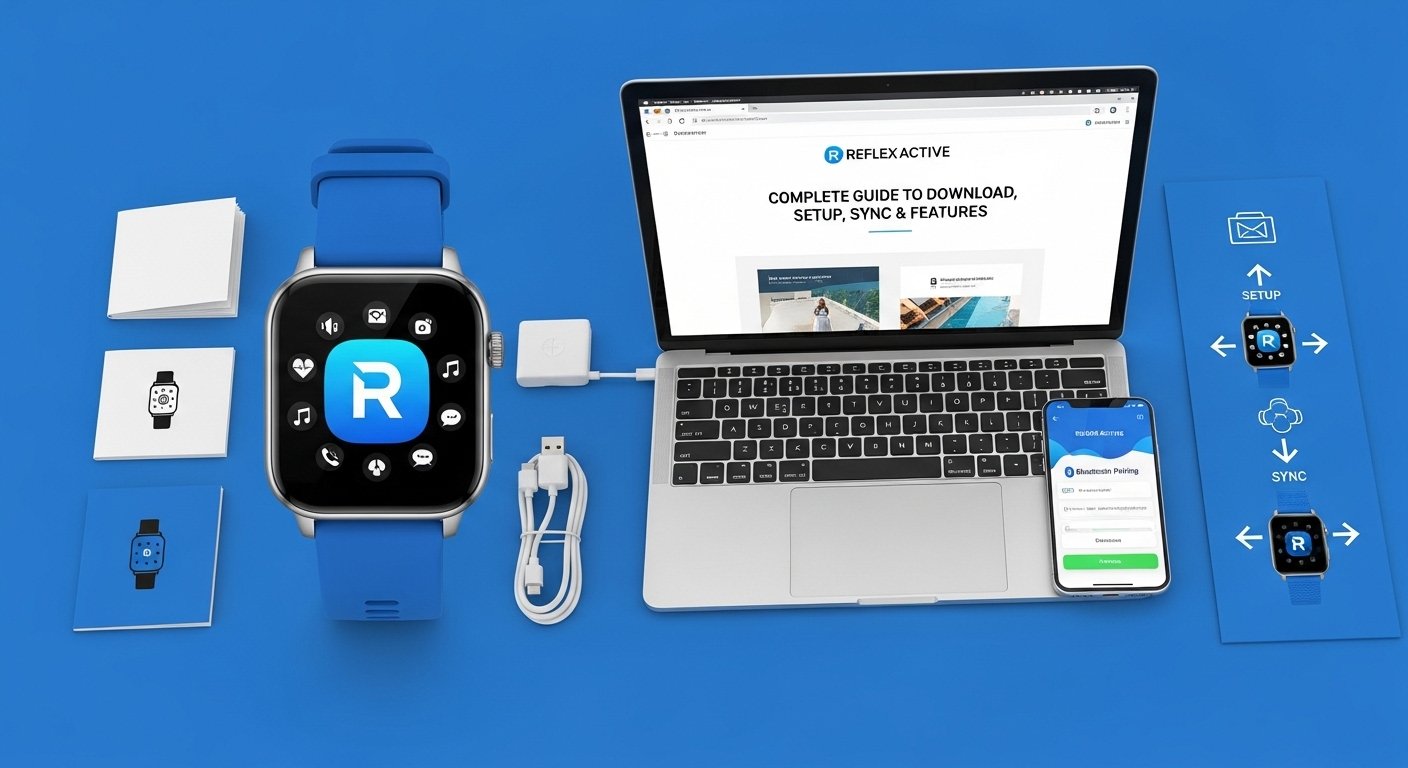
Have you ever wondered how many steps you take each day or how well you sleep at night? The Reflex Active Blue App makes it simple to find out. This app works with Reflex Active smartwatches to track your daily movements and health details. Because it connects your watch to your phone, you get a clear view of your activity right on your screen. Many people use it to stay active and feel better over time. In this guide, you will learn everything step by step. We will cover how to download the Reflex Active Blue App, set it up, sync your watch, and explore its main features. The information comes from official sources and will help you start with ease. After that, you can track your progress and reach your goals without any trouble.
What Is the Reflex Active Blue App?
The Reflex Active Blue App is a free tool made just for certain Reflex Active smartwatches. It helps you monitor your activity all day long. For example, it counts your steps and shows how far you walked. This means you can see real results from your daily habits. Also, it tracks sleep and other things like weight changes. Over time, these details help you understand your body better. Another thing is that the app works on both Android phones and Apple devices. That is why it fits many different users. The Reflex Active Blue App is easy to use, even if you are new to smartwatches. Next, we will talk about why it matters for everyday life.
Why the Reflex Active Blue App Helps You Stay Healthy
Using the Reflex Active Blue App is helpful because it turns your watch data into simple pictures and numbers. Imagine you walk to work every morning. The app shows how many steps you took and how many calories you burned. This gives you a good feeling about your efforts. In addition, it tracks sleep quality so you know if you rested well. That is why many people feel more motivated to move more and sleep better. For instance, if you like biking on weekends, the app records your rides and shows your progress week after week. Over time, these small wins add up to big changes in your health. The app also sends gentle reminders through your watch. Because of this, you stay on track without forgetting your goals. Now, let us learn how to get the app on your phone.
How to Download the Reflex Active Blue App
Downloading the Reflex Active Blue App is quick and free. First, open the Google Play Store if you have an Android phone. After that, type “Reflex Active Blue” in the search bar. Choose the official app from the right developer. Tap the install button and wait a short time for it to finish. Make sure your phone runs Android version 9.0 or higher for the best results. Next, for Apple users, open the App Store on your iPhone or iPad. Search for “ReflexActive” or “Reflex Active”. Tap get and enter your password if needed. Your device needs iOS version 12.0 or newer. This means most newer phones work well. Always download the latest version because updates fix small problems and add nice touches. For example, a 2026 update made the screens look fresh and easier to read. After download, the app is ready on your home screen. That is why starting is so simple for everyone.
Step-by-Step Guide to Set Up the Reflex Active Blue App
Setting up the Reflex Active Blue App takes just a few minutes. Start by opening the app on your phone. It will ask you to accept the privacy rules. Read them quickly and tap agree. Next, build your profile by adding your age, height, and weight. This helps the app give you accurate numbers for steps and calories. After that, set your daily goals like how many steps you want or how much sleep you need. The app guides you with clear questions one by one. For example, it might ask what time you usually go to bed. Because you answer honestly, the data matches your real life. In addition, turn on location access when the app asks because it helps with outdoor activities. Over time, you can change these details if your habits shift. This setup makes the Reflex Active Blue App personal for you. Now your phone knows you better, so the next step is connecting your watch.
How to Sync Your Smartwatch with the Reflex Active Blue App
Syncing your smartwatch with the Reflex Active Blue App is easy once Bluetooth is ready. First, turn on Bluetooth on your phone. Also, make sure your watch has some battery and is nearby, within about 10 meters. Open the Reflex Active Blue App and look for the green connect icon at the bottom. Tap it and wait for your watch name to appear in the list. Select your watch and tap okay to allow notifications. Your phone and watch will pair through Bluetooth right away. After that, data starts to flow between them automatically. For instance, steps you take will show up in the app soon. This means no extra work for you. If you want to connect a different watch later, just go to settings and disconnect the first one. Then repeat the steps for the new watch. Keep your devices close during the first sync to avoid any wait. Over time, the connection gets smoother with regular use. That is why most people enjoy instant updates on their phone.
Main Features of the Reflex Active Blue App
The Reflex Active Blue App has many useful features that make tracking fun and helpful. One big feature is the stepometer. It counts your steps, shows distance walked, and tells calories burned. For example, if you take a walk in the park, you see exact numbers when you check the app. Another thing is the sleep monitor. It tracks how long and how well you slept each night. Because it runs in the background, you just wear your watch to bed. Next, the app has sports modes for activities like running, biking, walking, and climbing. You pick one on your watch, and it records details such as time and heart rate. In addition, it shows your path on a map if you use phone GPS for outdoor moves. This helps you see where you went and how fast you moved.
The app also sends notifications for calls and messages straight to your watch. That is why you never miss important alerts while exercising. Another handy tool is the phone finder. If you lose your phone, tap a button on the watch and it rings loudly. You can even use the watch to take pictures on your phone from far away. Weight tracking lets you log your weight each week and see changes over months. For some users, menstrual cycle recording helps follow patterns and stay aware of body changes. The app works with your phone’s health tools too, so data moves smoothly between them. All these features connect in one place. Because of this, you get a full story of your day in simple charts.
Tips to Get the Most from the Reflex Active Blue App
To enjoy the Reflex Active Blue App fully, follow a few easy tips. Always keep your app updated because new versions fix bugs and add better views. For example, the latest design uses colors that change with your daily patterns. Charge your watch fully every few days using the magnetic pins. This keeps the battery strong for all-day tracking. Wear the watch snug on your wrist for better step and heart readings. Also, open the app once a day to let data sync completely. If you do outdoor sports, go to an open area so GPS finds the signal fast. Over time, check your graphs to spot good habits and areas to improve. Share your activity with friends if the app allows, but only when you feel like it. These small steps make the Reflex Active Blue App work even better for you.
Common Problems and Simple Ways to Fix Them
Sometimes small issues happen with the Reflex Active Blue App, but they are easy to fix. If your watch will not connect, check that Bluetooth is on and both devices are close. Restart your phone and watch, then try pairing again. Another common problem is missed notifications. Make sure you allowed them in phone settings and inside the app. For sleep data that looks wrong, wear the watch all night and wait until morning for full results. If steps seem low, remember the watch uses wrist movement, so pushing a cart might not count perfectly. GPS taking too long? Move to a clear spot away from tall buildings. In addition, if the app crashes, close it from the background and open it fresh. These fixes work most of the time because the app is built to be reliable. Always check your phone has enough space and the latest system update too.
How the Reflex Active Blue App Keeps Your Data Safe
The Reflex Active Blue App takes care of your information carefully. It uses encryption when sending data from watch to phone. You control what it shares with other health tools. Remember, the app is only for general wellness, not for medical advice. This means you should talk to a doctor for serious health questions. Because it follows rules for privacy, you can use it with peace of mind. Over time, you will see how your choices affect your numbers in a safe way.
Final Thoughts on the Reflex Active Blue App
The Reflex Active Blue App is a helpful partner for anyone with a Reflex Active smartwatch. From easy download to smooth sync and useful features, it guides you toward better habits. You learn about your steps, sleep, and activities in a clear way. Because everything connects naturally, tracking feels simple and fun. Try the steps in this guide and watch your progress grow. With regular use, small daily choices lead to big health wins. Stay curious about your body and enjoy the journey one step at a time.
Disclaimer:
This article provides general information based on publicly available sources about the Reflex Active Blue App as of 2026. It is for educational purposes only and does not replace official instructions from the app or manufacturer. Always download from trusted stores like Google Play or the App Store. Check the latest app version and your device compatibility before use. The Reflex Active Blue App is intended for general fitness and wellness tracking and is not a medical device.
Explore More:
Recommended Travel Apps (2026) – Best Apps for Booking, Navigation & Travel Planning
Principality App – The Ultimate Personal Finance, Banking & Wealth Building Command Center
About the Author