Many restaurants handle lots of bookings each day. They need a simple tool to keep track of guests, tables, and times. The ResDiary app helps with all of that. It works well on iPhone and Android phones. This guide explains the ResDiary app in easy steps. You will see how it makes restaurant work smoother. Also, it shows real ways restaurants use it every day. Because busy shifts can feel stressful, this app puts important information right in your hand. That means staff can focus more on happy guests and less on paper notes.
Restaurants have changed a lot over time. In the past, people wrote names in big books. Today, phones help manage everything fast. The ResDiary app connects to a cloud system. This means updates happen right away across devices. Next, we will look at what the app really is and why it matters for restaurants.
What Is the ResDiary App?
The ResDiary app is a tool for restaurants to manage bookings and tables. It is called ResDiary Plus on phones. Restaurants use it to see who is coming, where to seat them, and what happens during service. For example, a busy cafe can check arrivals on an iPhone while the host greets guests at the door. Another thing is that it works on both iPhone and Android. This helps teams no matter what phone they have.
In addition, the app links to the full restaurant system. It shows real-time details from online bookings or phone reservations. Over time, restaurants notice fewer mistakes because everything syncs automatically. This guide will break down each part so even new users can follow along easily. Because the app is made for daily restaurant life, it feels natural once you start.
Why Restaurants Use the ResDiary App
Restaurants face many tasks at once. They take reservations, seat people, and watch the clock. The ResDiary app helps because it gives a clear picture on your phone. For instance, you can see expected covers for the evening. This means the kitchen knows how much food to prepare. Also, it reduces no-shows with reminders and simple rules.
Another reason is flexibility. A small family restaurant and a big group of venues can both use it. The app lets one login handle several places. That is why managers like it for busy days. Next, we will talk about getting the app on your phone so you can try these ideas yourself.
How to Download the ResDiary App on iPhone and Android
Downloading the app is quick and free. On an iPhone, open the App Store. Type “ResDiary Plus” in the search bar. Tap the app and hit get. It takes just a minute. After that, the app appears on your home screen. For Android phones, go to the Google Play Store. Search the same name and install it. This works on most recent phones.
Once it is on your device, open the app. You will need your restaurant login details. These come from your main ResDiary account. Enter the username and password. The app then shows your diary right away. Because it syncs fast, you see the latest bookings. In addition, it works offline too. This means you can add notes even without internet. Later, it updates when you connect again.
Setting Up the App for Your Restaurant Team
Setting up takes a few simple steps. First, log in as the manager. Next, check user permissions. This lets you decide what each staff member can do. For example, a host might only see the booking list. A server could update table status. After that, pick your service times if needed. The app shows lunch or dinner views.
Another thing is to explore the main screens. There is a booking list that orders guests by arrival time. You also see a table plan view. Because teams work together, the app supports up to eight connected devices. This keeps everyone on the same page. Over time, you can add custom notes for regular guests. That helps staff remember special requests like allergies.
Exploring the Main Features of the ResDiary App
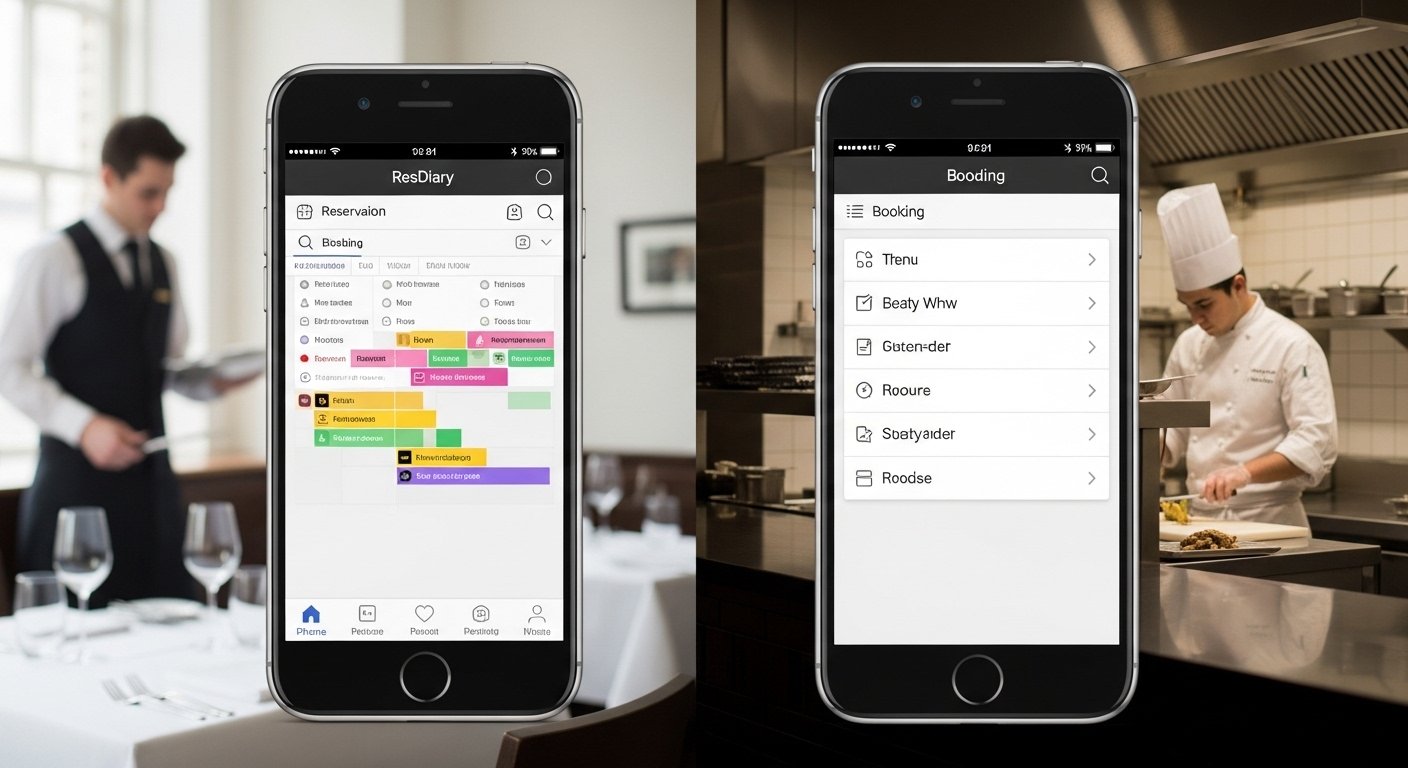
The app has many helpful parts. One big feature is the booking list. It shows names, times, number of people, and any notes. You can tap to see more details. Also, there is a grid view for the whole day. This gives a quick look at open tables. Next, you can switch between services or dates with easy buttons.
In addition, the app handles walk-ins smoothly. Tap the walk-in button to add a new guest right away. It suggests tables based on size. For example, a party of four fits at a certain spot. Because it updates live, no one books the same table twice. Another useful part is expected arrivals. You see who should come soon and prepare their table early.
How to Manage Bookings Step by Step
Managing bookings is straightforward with the app. Start by opening the booking list. To add a new one, tap the plus button. Fill in the guest name, time, and how many people. Then choose a table or let the app suggest one. After that, save it. The system sends a confirmation if needed.
Editing is just as easy. Tap any booking to change details. You might move the time or add notes. For cancellations, select the reason and notify the guest by email. This means less confusion later. In real life, a restaurant might get a last-minute change during rush hour. The app lets you fix it fast on your phone. Also, you can view all changes in one place.
Using the Table Plan and Seating Guests
The table plan is a key part of the app. It shows your restaurant layout on the screen. You drag tables or seats to match real life. Pinch to zoom in for details. Because it is intuitive, staff learn it quickly. To seat a guest, tap their booking and assign a table. The status changes to seated.
For example, during dinner, you see green for open tables and red for busy ones. Next, update when guests finish their meal. This frees the table for new people. Another thing is close-outs. You can block areas for private events right from the phone. Over time, this helps control flow and avoid overcrowding.
Handling Walk-Ins and Busy Service Times
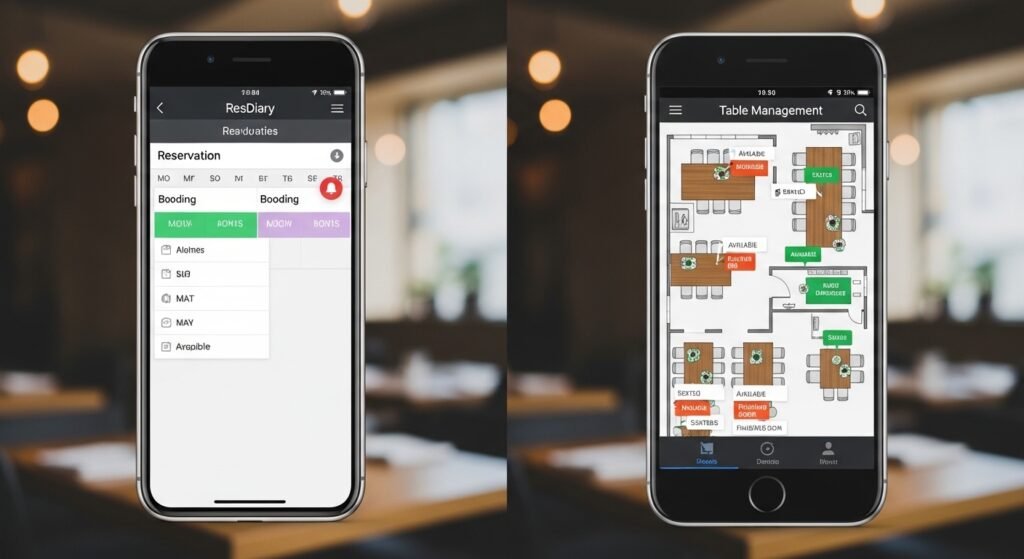
Walk-ins happen often in restaurants. The app makes them simple. Use the walk-in button to add guests without a prior booking. It checks available tables and shows options. This means you rarely turn people away. Also, there is a waitlist feature to keep names in order.
During busy times, the app shines. Real-time sync tells you exactly what is happening. For instance, if a table finishes early, you see it right away. That is why service feels smoother. In addition, you can view expected covers to plan staff breaks or kitchen prep.
Working Offline and Staying Connected
Sometimes internet goes down. The ResDiary app works offline. You can still add bookings or change tables. When the connection returns, it syncs everything automatically. This feature helps restaurants in areas with spotty service. Because it connects to up to eight devices, your whole team stays updated.
For group restaurants, one login opens all locations. Switch between venues with a tap. This is great for managers who visit different spots.
Tips to Use the ResDiary App Effectively
Here are some practical tips. First, train your team with short practice sessions. Show them how to update statuses quickly. Next, use notes for special details like birthdays. Over time, this builds better guest experiences. Also, check reports in the linked system for busy patterns. You might adjust hours or tables based on real data.
Avoid common mistakes like forgetting to sync before closing. Always double-check table assignments during peak hours. Another tip is to keep the app updated for new features. In 2026, the Android version feels more polished after its full launch last year. This means better performance on phones.
Common Questions About the ResDiary App
People often ask if the app costs extra. It comes with the main system at no added fee. They also wonder about security. The app uses safe logins and permissions. For iPhone users, it works on recent models. Android phones need similar updates. Because it supports many integrations, it fits with other restaurant tools like payment systems.
Conclusion
The ResDiary app brings booking and table management to your iPhone or Android phone. It helps restaurants see bookings clearly, seat guests fast, and handle daily tasks without stress. From downloading to using offline mode, each step builds on the last. Real examples show how it saves time during busy services and keeps teams connected. In the end, restaurants run better when information flows smoothly. Try the simple steps in this guide to see the difference for yourself. With practice, the app becomes a natural part of your restaurant day and helps create happier dining experiences for everyone.
Disclaimer:
This article provides general information about the ResDiary app based on publicly available details as of 2026. It is for educational purposes only and not affiliated with or endorsed by any company. Features may change, so always check the official app stores and support resources for the latest updates. This content does not constitute professional advice and aims to avoid any promotional claims.
Explore More:
Reflex Active Blue App: Complete Guide to Download, Setup, Sync & Features
Recommended Travel Apps (2026) – Best Apps for Booking, Navigation & Travel Planning
About the Author