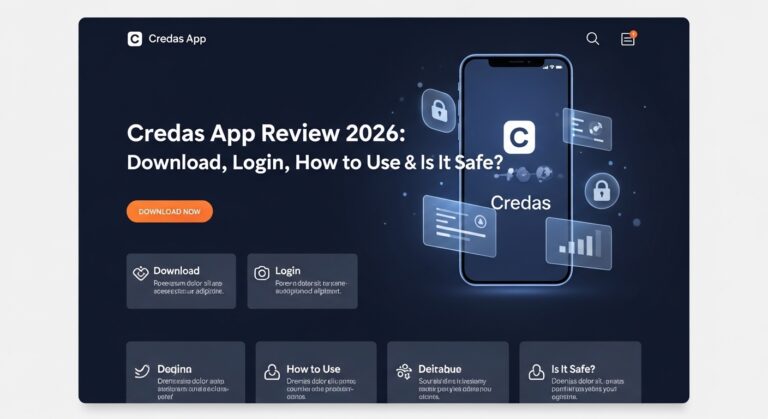
In today’s busy world, many people need to show who they are for important tasks like buying a house, opening a bank account, or working with a lawyer. The Credas app makes this easier by letting you verify your identity from your phone. This review looks at the Credas app in 2026. It covers everything from how to download it to whether it is safe to use. You will learn simple steps and helpful tips so you feel ready and confident. Many companies now use this app because it saves time and keeps things secure.
What Is the Credas App and Why Do People Use It?
The Credas app is a tool that helps check your identity quickly and safely. Companies ask you to use it when they need to follow rules about knowing their customers. For example, if you are buying property or getting financial help, the company might send you a message with a special code. You open the app, enter the code, and show your ID.
This means you do not have to visit an office in person. You can do it at home on your phone. Over time, more businesses started using the Credas app because it is fast and follows government rules in the UK. It checks things like your passport or driving licence and makes sure the person using the app is really you. Because of this, it helps stop bad people from pretending to be someone else. Many users like that it feels simple, like taking a quick photo of yourself and your papers.
Another thing is that the app also checks where your money comes from in some cases. This extra step keeps everything honest. In 2026, the app has helped millions of people finish their checks without stress. That is why so many trust it for daily needs.
How to Download the Credas App in 2026
Downloading the Credas app is the first easy step. You can find it on the Google Play Store for Android phones or the Apple App Store for iPhones. Just search for “Credas” and look for the official one from Credas Technologies. Make sure you pick the right app because fake ones sometimes appear.
After you find it, tap the “Install” or “Get” button. The app is free to download and does not take up too much space on your phone. In 2026, the newest version works smoothly on most modern phones. After that, open the app right away. It will ask for permission to use your camera and maybe your photos. Say yes because you need the camera to take pictures of your ID.
For example, imagine you just got an email from your estate agent. You can download the app in one or two minutes while sitting on your sofa. This quick start helps you finish the whole process fast. Always download only from the official stores to stay safe.
How to Login and Start Your First Check
Logging in is simple once you have the app. Usually, a company sends you an email or text message with a unique registration code. This code is very important because it connects you to the right company. Open the app and type in that code carefully. Check the letters and numbers twice so you do not make a mistake.
Next, the app will show you some details about why the check is needed. Read them so you understand. After that, you accept the terms and conditions. This part tells you how your information will be used. Then you start the real work. The app guides you step by step, like a helpful friend.
One common example is when buying a house. You get the code, open the app, and follow the pictures on screen. Because the instructions are clear, most people finish without calling for help. If you forget your code, you can ask the company to send it again. This login process connects everything safely so your check goes to the right place.
Step-by-Step: How to Use the Credas App
Using the Credas app feels like following a simple recipe. First, have your ID ready. Good options are a passport or driving licence. Some checks also need a proof of address, like a recent utility bill.
Here is how it usually goes:
- Enter your code and accept the rules.
- Take a selfie. The app uses special technology to check that it is really you and that you are live, not a photo. Look straight at the camera and follow the instructions, like moving your head a little.
- Scan your ID document. Hold your passport or licence in front of the camera. The app shows outlines on screen so you know where to place it. Take clear pictures of both sides if needed.
- Upload any extra papers, such as a bank statement for proof of funds.
- Review everything and submit.
The whole thing often takes just a few minutes. For example, one person finished their house purchase check while waiting for coffee. The app gives tips if the photo is not clear, so you can try again right away. Over time, you get better at it if you need to use the app more than once. This step-by-step way makes hard checks feel easy and quick.
Another helpful thing is that you can also use a computer version if you do not like the phone. Go to the Credas website and enter your code there. It works with your webcam. This choice gives you options depending on what feels comfortable.
Common Tips and Mistakes to Avoid
Many people do well with the Credas app when they prepare first. Good lighting helps a lot because dark rooms make photos blurry. Sit near a window during the day for the best results. Also, clean your ID card so the words are easy to read.
One mistake to avoid is rushing the selfie part. The app needs to see your real face clearly, so take off hats or sunglasses. Another common issue is trying to upload files from a computer to your phone. It can feel tricky, so take fresh photos with your phone camera instead.
In addition, always check your internet connection before you start. A strong Wi-Fi signal makes the upload go smoothly. If you get stuck, the app has help buttons or you can contact support. These small tips stop frustration and help you finish faster. Because so many users share their experiences, new people learn to prepare and enjoy a better time.
Is the Credas App Safe to Use?
Safety is a big question for everyone. The Credas app uses strong protection to keep your information private. It follows high security rules, including something called ISO 27001, which is a trusted standard around the world. Your photos and details are encrypted, which means they turn into secret code that only the right company can read.
The app does not keep your data longer than needed. After the check finishes, the information goes to the company that asked for it. This means your personal details stay safe and are not shared with others. In 2026, the app also meets UK government standards for digital identity checks.
For example, think of it like sending a locked box. Only the person with the key can open it. Many reviews say the app feels secure because of these steps. Of course, like any app, use it only when a trusted company asks you. Never share your code with strangers. This careful way keeps everything protected.
Some users mention small problems like camera focus issues on older phones, but the company keeps updating the app to fix these things. Overall, it has good safety features that make people feel comfortable using it for important tasks.
What Users Say in 2026
People have different experiences with the Credas app. Many like how fast it is and how it helps them finish big tasks from home. One happy user said it made buying a house much easier because they did not need to travel. Positive points often include clear steps and quick results.
On the other hand, some people find it hard to upload certain documents or get the camera to focus perfectly. Others wish it worked better on every phone. These honest views help you know what to expect. In 2026, the app still has strong overall ratings because most checks go well when you follow the guide.
This mix of feedback shows that the Credas app works best when you prepare and have a good phone. It continues to improve with new updates, so future versions might feel even smoother.
Final Thoughts on the Credas App in 2026
The Credas app offers a modern way to handle identity checks without leaving your home. From easy download to simple login and clear steps for use, it helps many people save time and effort. Safety features give extra peace of mind, while helpful tips make the process smoother. Whether you are dealing with property, finance, or legal matters, this app provides a practical solution in our digital world.
Remember to stay prepared, use good light, and follow the on-screen instructions carefully. With these habits, you can complete your checks confidently. The Credas app shows how technology can make life simpler while keeping important rules in place. Give it a try next time you receive that verification request, and see how straightforward it can be.
Disclaimer:
This article is for information only and is based on publicly available details about the Credas app in 2026. It does not replace official instructions from Credas or any company using the service. Always check the latest app version and contact support for personal help. Results can vary by device and situation. This content is neutral and aims to answer common questions without promoting any service.
Explore More:
CareDocs App Review (2026) – Download, Login, How to Use & Is It Safe?
BRS App: Download, Login, Features, Review & Troubleshooting Guide (2026)
About the Author