The Zopa app helps many people manage their money every day. In 2026, more than one and a half million customers in the UK use this app from Zopa Bank. It brings together banking, saving, and borrowing all in one place on your phone. Because life gets busy, the app makes things simple so you can check your money without stress. This review explains everything step by step. You will learn how to download the Zopa app, how to log in safely, what features it offers, and how to fix problems if the app stops working. After that, you can decide if it fits your needs. The guide uses clear steps and real examples so even beginners feel comfortable reading it.
What Is the Zopa App and Why Do People Use It?
Zopa started years ago as a way for people to lend and borrow money. Over time, it became a full bank with a mobile app that handles everything. The Zopa app runs on your phone and lets you open a current account called Biscuit. You can also save money, take out loans, or use a credit card. Many people like it because they can see all their money in one spot. For example, imagine you get paid and want to pay bills right away. The app shows your balance instantly, and you can move money with a few taps. This means no more switching between different bank sites. In addition, the app keeps your information safe with strong security. That is why families and single people use the Zopa app to stay in control of daily spending and future plans.
How to Download the Zopa App on Your Phone
Downloading the Zopa app takes only a few minutes. First, open the App Store if you have an iPhone or the Google Play Store if you have an Android phone. Next, type “Zopa Bank” in the search bar at the top. You will see the official app appear with a blue and white logo. Tap the button that says Get or Install. After that, your phone will download it automatically. Make sure you pick the real app from Zopa Bank Limited so you stay safe. Once it finishes, the Zopa app icon shows on your home screen. This process works the same for most phones in 2026. Also, the app updates itself sometimes to add new tools. That is why you should allow automatic updates in your phone settings. Now your phone has the Zopa app ready for use.
Step by Step: How to Log In to the Zopa App
Logging in to the Zopa app feels easy once you know the steps. After you download it, open the app for the first time. It asks for your email and password that you used when you signed up with Zopa. If you do not have an account yet, the app guides you to create one with your personal details. Next, you create a secure four-digit PIN. This PIN keeps your money private. Over time, you can also turn on Face ID or Touch ID so your face or fingerprint opens the app faster. For example, many people use Face ID because it saves time in the morning. After you enter the correct details, the home screen appears with your accounts listed. This means you can start checking balances right away. If you forget your password, tap the forgot option and follow the simple reset steps through email. In addition, the app sends a code to your phone for extra safety. That is why your information stays protected every time you log in.
Key Features You Will Find in the Zopa App in 2026
The Zopa app offers many helpful tools that make money management clear. One main feature is the Biscuit current account. It gives you two percent interest on your daily balance for the first twelve months. Also, you earn two percent cashback on some bills paid by direct debit. This adds up over time and helps your money grow a little each month. Another thing is the savings pots. You can create different pots for goals like a holiday or new car. The app shows how much you have saved in each one. In 2026, the regular saver linked to Biscuit pays a high rate up to seven point one percent on up to three hundred pounds per month. This means you can build savings steadily without extra work. The app also tracks your spending with clear charts. For example, it tells you how much you spent on food last week so you can plan better next time. Because everything happens in one app, you do not need paper notes or other programs.
Using the Biscuit Current Account in the App
The Biscuit current account sits at the heart of the Zopa app. You open it directly inside the app after you log in. Once set up, you get a debit card that works everywhere. The app shows your balance, recent payments, and upcoming bills all on the same screen. After that, you can set up direct debits or standing orders with simple taps. Many users like the fee-free spending abroad because it saves money on holidays. In addition, instant notifications pop up when you spend or receive money. This helps you catch any mistakes early. For instance, if you buy groceries and the notification arrives, you know the payment went through safely. The account also connects to open banking so you can view other bank accounts in the same place. That is why the Biscuit part of the Zopa app feels like a helpful daily helper for everyday money tasks.
Saving Money with Smart Pots and Regular Saver
Saving feels less hard when you use the Zopa app pots. You create a pot and give it a name like “Emergency Fund.” Next, move money from your main balance into the pot. The app then pays interest on what you save. The Smart Saver pots let you add or take out money whenever you need it. Over time, this builds good habits because the app reminds you to save a little each week. Another feature is the regular saver that links to Biscuit. You set it to move money automatically every month. For example, if you save three hundred pounds monthly, the high rate helps it grow faster. The app shows clear progress bars so you see how close you are to your goal. This means you stay motivated without checking a calendar. In addition, you can open multiple pots for different dreams like buying a bike or going on a trip. That is why many people say the savings tools inside the Zopa app make planning simple and fun.
Handling Loans and Credit Cards Easily
The Zopa app also helps with borrowing when you need it. If you have a Zopa loan, you see the exact balance and next payment date on the main screen. After that, you can make extra payments or change the payment day with a few taps. This gives you control without calling anyone. The credit card section works the same way. You check your spending limit, pay the bill, and set up automatic payments. For instance, imagine you use the card for shopping. The app sends an alert and shows the total you owe so you avoid late fees. In 2026, the app makes loan and card management clear with big buttons and plain words. Because everything links together, you can move money from savings to pay off debt faster if you want. This means you stay on top of what you owe and pay it back comfortably.
Checking Credit Score and Budgeting Tools
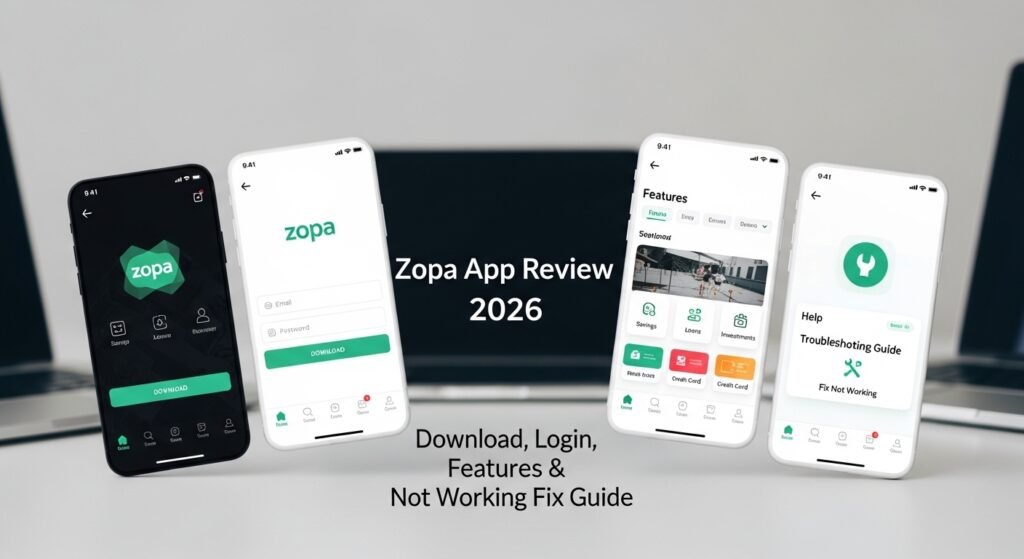
Inside the Zopa app, you can check your credit score for free. The Borrowing Power tool shows what you might borrow and why your score matters. After you view the score, the app explains simple ways to improve it, like paying bills on time. This helps you understand your money health better. Budgeting tools add another layer. The app groups your spending into categories such as rent, food, and fun. It then suggests small changes that add up. For example, if you spend too much on coffee, the app shows the monthly total so you can cut back. Over time, these insights help you save more without feeling restricted. In addition, the app sends weekly summaries that keep you informed. That is why beginners and experienced users both find these features useful for smarter choices.
What to Do When the Zopa App Is Not Working
Sometimes the Zopa app may not open or work properly. This happens to many apps, and there are clear fixes. First, check your internet connection because the app needs a good signal. Next, make sure your phone has the latest version of the app. You can update it in the store with one tap. If it still crashes, try clearing the cache by deleting and reinstalling the app. This removes old files without losing your account. Another common issue is using the app on a rooted or jailbroken phone, which can cause security blocks. In that case, the app stops on purpose to protect your money. Also, if you see a loading screen that never ends, close the app completely and open it again. For bigger problems like payments not going through, the Zopa team often posts updates on their site. This means you can wait a short time and try again later.
Common Fixes for Login Problems and Crashes
Login troubles have straightforward solutions too. If you cannot log in, check that you typed the email and password correctly. After that, use the forgot password link to reset it through your email. The app may also ask for a verification code sent to your phone. Make sure your phone has strong signal and wait three minutes if the code is slow. If the app crashes often, restart your phone first because this clears temporary glitches. In addition, remove any screen mirroring tools because they sometimes interfere. For users who lost their phone, you can access basic info on the Zopa website using the same login details. The website lets you view balances and make some changes until you fix the phone. That is why the Zopa app team built both the app and site to work together. Many people solve issues quickly by following these steps one at a time.
Tips for Using the Zopa App Safely Every Day
To get the best from the Zopa app, follow a few simple safety tips. Always use a strong password and never share your PIN with anyone. After you log in, log out when you finish on a shared phone. Also, keep your phone software updated because new versions fix security gaps. Set up notifications so you know about every movement in your account. This helps you spot unusual activity fast. For example, if a strange payment appears, you can contact support right away through the in-app chat. In addition, read the app messages about new features because they often explain helpful shortcuts. Over time, these habits make the Zopa app a trusted part of your routine. The app also has live chat support during business hours if you need a real person to help.
Conclusion
The Zopa app in 2026 brings banking, saving, loans, and credit tools together in one easy place. From downloading and logging in to using features like Biscuit and savings pots, every step feels clear and helpful. When problems appear, simple fixes such as updating or reinstalling usually solve them fast. By following the tips in this guide, you can manage your money with confidence and avoid common mistakes. Remember that the app continues to improve based on user feedback, so check for updates regularly. In the end, the Zopa app gives you control over your finances in a straightforward way that fits busy lives. Take time to explore it at your own pace, and you may find it becomes your go-to money helper.
Disclaimer:
This article is for informational purposes only and reflects publicly available information about the Zopa app as of 2026. It does not constitute financial advice, and Zopa Bank products involve risks and eligibility criteria. Rates, features, and terms can change. Always verify the latest details directly on the official Zopa website or app before making any decisions. Consult a qualified financial advisor for personalized guidance.
Explore More:
Top Rated Running Apps for Android & iPhone (Free GPS Running Tracker Apps) – 2026
SumUp App Download & Setup Guide (Login, Payments, Card Reader & Fix Issues)
About the Author




